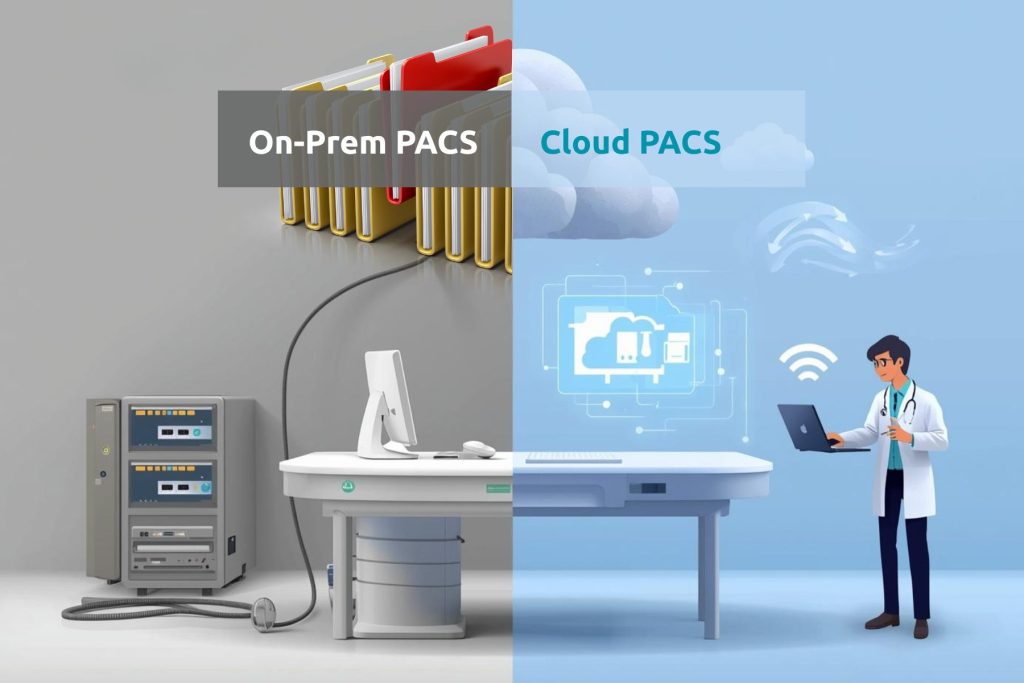
Hospitals have relied on on-premises PACS for years to store and view medical images. These systems worked well when radiology operations were limited within one location. But as hospital networks expanded and remote reporting became common, the limits of local PACS started showing up. Managing servers, updates, and storage became costly and complex.
That is where cloud PACS began to change the workflow. It allows radiologists and hospital teams to access images anytime, from any branch or device, without depending on a single local server. Many healthcare centers such as Dishari Health Point, Desun Hospital, and Suraksha Clinic & Diagnostics have already shifted to cloud PACS through Mediog. Their results show how secure and flexible cloud solutions have become for modern healthcare.
What Is PACS?
Picture Archiving and Communication System, or PACS, is a digital technology used in hospitals and diagnostic centers to store, manage, and share medical images. Instead of printing or physically transferring X-rays, MRIs, and CT scans, PACS allows radiologists and doctors to access images digitally within seconds. It forms the backbone of radiology workflows, helping healthcare professionals deliver faster and more accurate reports.
A PACS system generally works through a combination of software, servers, and network access. It captures and stores images in a secure digital format, which can then be viewed from authorized devices.
Key functions of PACS include:
- Storing medical images safely without physical films.
- Viewing images remotely through connected workstations or mobile devices.
- Sharing reports securely among radiologists and referring doctors.
- Integrating with other systems like RIS (Radiology Information System) and HIS (Hospital Information System).
- Reducing manual errors and improving diagnosis speed through centralized access.
Cloud PACS vs On-Premises PACS: The Core Differences
Every hospital faces a critical choice when setting up its imaging infrastructure, whether to use an on-premises PACS server or move to a cloud PACS system. Both options serve the same goal of storing and accessing medical images, but they differ widely in cost, maintenance, scalability, and accessibility. Understanding these differences helps healthcare leaders decide which setup fits their radiology workflow best.
| Aspect | Cloud PACS | On-Premises PACS |
| Setup and Deployment | Cloud PACS software is deployed through a secure online server. Hospitals can start using it quickly without installing heavy hardware. Mediog’s cloud PACS solution, for example, allows setup in a few hours with minimal IT support. | On-premises PACS requires physical servers, cabling, and local configuration. The setup often takes days and needs dedicated IT staff for installation and testing. |
| Accessibility | Cloud-based PACS allows radiologists to access studies anytime through web or mobile devices. It supports remote reporting, multi-location access, and faster image sharing across departments. | On-premises PACS limits access to local workstations. Remote access is possible but needs complex VPN setups and high bandwidth, which slows down reporting. |
| Maintenance and Updates | All updates, security patches, and backups are handled automatically through the cloud PACS system. Hospitals don’t have to worry about hardware failures or software upgrades. | Regular maintenance is required by in-house teams. Servers must be manually updated, which increases downtime and the risk of data loss if not monitored properly. |
| Scalability | Cloud PACS scales easily as imaging volume grows. Hospitals can expand storage or add users instantly without investing in new servers. | Scaling an on-premises PACS means buying new hardware, configuring additional servers, and upgrading network capacity. This often results in high upfront costs. |
| Cost and Resource Use | A cloud PACS system runs on a subscription model, reducing capital expenditure. It eliminates the need for server rooms and ongoing hardware maintenance. | On-premises PACS requires high initial investment in infrastructure and continuous spending on upgrades, electricity, and cooling systems. |
| Data Security | Leading cloud PACS solutions like Mediog use encrypted data transfer, user-level access control, and secure backups across multiple regions. This ensures compliance with healthcare data regulations. | Data security depends entirely on the hospital’s local network. Weak or outdated firewalls may expose the system to risks if not maintained carefully. |
Cost Comparison: Cloud PACS vs On-Premises Setup
When choosing between cloud PACS and on-premises PACS, cost becomes one of the biggest deciding factors. Each model has its own strengths, and the right choice depends on the hospital’s scale, data volume, and budget flexibility.
| Aspect | Cloud PACS | On-Premises PACS |
| Setup Cost | Works on a pay-as-you-go model with low entry costs. Ideal for smaller hospitals or diagnostic centers that want to avoid large upfront investments. | Needs higher initial spending on servers and infrastructure, but the investment is one-time. Larger hospitals often prefer this for long-term cost control. |
| Maintenance Cost | Monthly subscription includes updates and storage. Over time, total expense grows with usage and data volume. | Requires in-house maintenance but no recurring subscription. Once set up, costs stay predictable and under hospital control. |
| Scalability & Value | Scales easily without hardware expansion, but higher imaging volume increases monthly bills. | Expansion needs new hardware, but hospitals retain full ownership of data and systems, making it cost-effective for consistent imaging workloads. |
If your hospital is managing stable imaging volumes, an on-premises PACS server can be the more economical choice in the long run. Cloud PACS, however, helps smaller or multi-branch centers reduce early infrastructure costs while gaining flexibility in scaling.
Why Many Hospitals Are Moving to Cloud PACS
Across India, more hospitals and diagnostic centers are shifting from traditional servers to cloud-based PACS systems. This move is driven by the need for faster reporting, multi-location access, and reduced IT overhead. Cloud PACS gives hospitals the flexibility to handle growing imaging workloads without worrying about maintenance or downtime, something that directly improves patient care and operational efficiency.
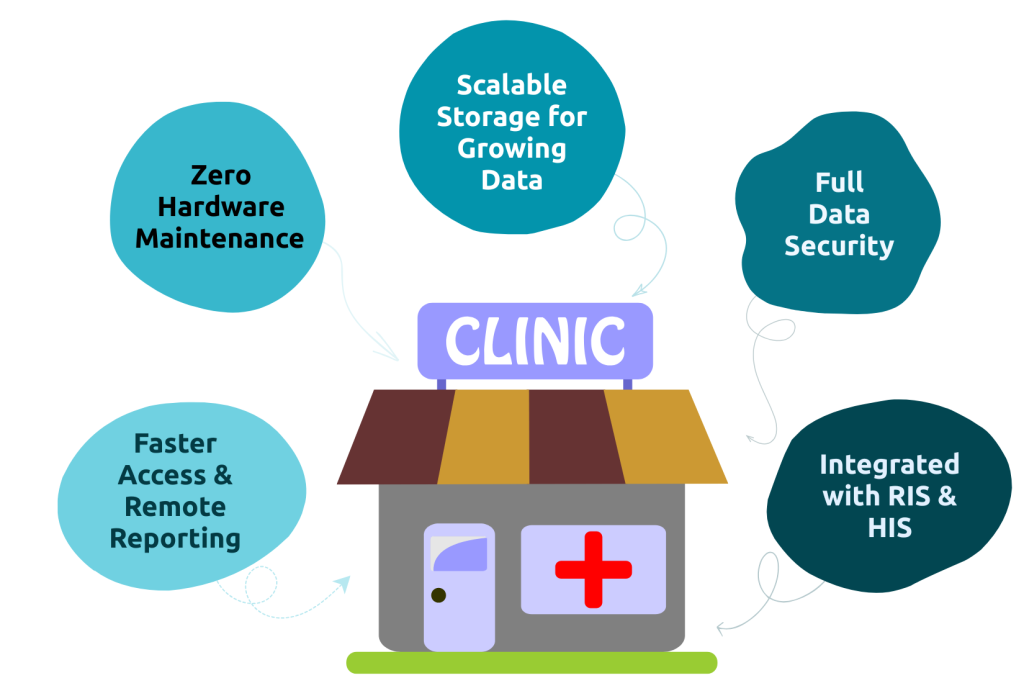
1. Faster Access and Remote Reporting
Cloud PACS allows radiologists to view, report, and share images from anywhere. For hospitals with multiple branches, such as Suraksha Clinic & Diagnostics and Apollo Diagnostics, this means faster collaboration between departments and quicker turnaround times for patients. Studies show cloud systems can reduce reporting delays by nearly 40 percent compared to local PACS setups.
2. Zero Hardware Maintenance
Unlike traditional on-site servers, a PACS cloud solution eliminates the need for physical maintenance. All backups, updates, and performance checks are handled remotely. Hospitals like Desun and Dishari Health Point have adopted Mediog Cloud PACS to avoid server breakdowns and costly upgrades.
3. Enhanced Data Security and Compliance
Leading cloud PACS software solutions use end-to-end encryption and role-based access control. Data is stored in multiple secure zones, ensuring compliance with healthcare data protection laws. Mediog’s infrastructure includes encrypted data transfer and multi-layer authentication, keeping imaging data secure and traceable.
4. Scalable Storage for Growing Data
As imaging volumes rise, hospitals often struggle with server capacity. Cloud PACS expands automatically without additional hardware purchases. Gooddays Diagnostic and Kolkata Kidney Institute have benefited from this flexibility, managing large imaging archives with no downtime or space issues.
5. Integrated Workflow with RIS & HIS Systems
A well-designed cloud PACS system integrates seamlessly with existing Hospital Information Systems (HIS) and Radiology Information Systems (RIS). This allows automatic report syncing, reduces manual entry, and keeps all data accessible through a single dashboard, simplifying the radiologist’s daily workflow.
How Mediog Serves the Best Cloud PACS Software
Mediog has become a trusted name in cloud PACS systems for hospitals and diagnostic centers across India. Designed for real-world hospital needs, it combines fast performance, data security, and reliable accessibility within a single unified platform. Mediog’s cloud PACS helps radiologists and administrators reduce downtime, manage multi-branch operations, and maintain a clear view of their entire imaging workflow in real time.
Hospitals such as Desun Hospital, Apollo Diagnostics, Suraksha Clinic & Diagnostics, Dishari Health Point, Gooddays Diagnostic, and Kolkata Kidney Institute rely on Mediog’s cloud PACS for secure image sharing and faster reporting. These healthcare providers handle thousands of studies daily with confidence that every file is safely stored, instantly accessible, and compliant with data standards.
With integrated tools for viewing, reporting, and audit tracking, Mediog makes complex imaging workflows smoother and more transparent. It empowers decision-makers to focus on patient outcomes rather than managing IT infrastructure.
Conclusion
Choosing between cloud PACS and on-premises PACS is not just a technical decision but a strategic one. Hospitals that struggle with slow reporting, heavy IT maintenance, or expanding imaging demands can overcome these barriers with a secure and flexible cloud PACS solution. Mediog helps healthcare leaders move past outdated systems toward a smarter, scalable setup that fits both clinical and operational goals. It ensures that radiology departments stay fast, connected, and ready for the future of digital diagnostics.
###